Mẫu Thiết Kế Trạng Thái (State Design Pattern) trong Godot
Lập trình điều khiển nhân vật trong game có thể trở nên rất phức tạp khi có nhiều trạng thái khác nhau cần xử lý (như Đứng yên, Chạy, Nhảy, Tấn công, Bị thương...), trong khi tại một thời điểm mỗi Node chỉ có thể gắn duy nhất một script.
Thay vì nhồi nhét toàn bộ logic vào một script điều khiển khổng lồ với hàng loạt biến cờ boolean hoặc câu lệnh match/switch-case dài dằng dặc, việc tách các trạng thái thành các lớp (classes) riêng biệt theo mô hình State Design Pattern sẽ giúp mã nguồn của bạn trở nên gọn gàng, linh hoạt và cực kỳ dễ mở rộng.

💡 Các phương pháp cài đặt State Machine trong Godot
Có nhiều cách để xây dựng một máy trạng thái (State Machine / FSM) trong Godot Engine:
- Player chứa các Node con cho từng trạng thái: Các node này được kích hoạt hoặc gọi khi trạng thái tương ứng diễn ra.
- Sử dụng Enum kết hợp câu lệnh
match: Thích hợp cho các nhân vật có ít trạng thái đơn giản. - Hoán đổi node trạng thái động lúc runtime: Thêm (
add_child) và loại bỏ (queue_free) các node chứa script trạng thái tương ứng.
Bài hướng dẫn này sẽ tập trung vào phương pháp thứ ba: Gắn và gỡ bỏ các Node trạng thái động. Mỗi script trạng thái sẽ đảm nhiệm một hành vi riêng biệt của nhân vật.
Bạn có thể tham khảo thêm tài liệu kinh điển giải thích chi tiết khái niệm mẫu thiết kế State Pattern trong phát triển game tại: Game Programming Patterns - State
🛠️ Thiết lập các Script Trạng Thái (Script Setup)
Tính kế thừa (Inheritance) trong lập trình hướng đối tượng là nền tảng cốt lõi của mẫu thiết kế này. Đầu tiên, chúng ta sẽ tạo một lớp cơ sở (State) định nghĩa các hành vi chung của nhân vật.
Trong ví dụ này, nhân vật tạm thời có 2 hành động cơ bản: di chuyển sang trái và di chuyển sang phải. Do đó, chúng ta sẽ có 2 trạng thái: Idle (Đứng yên) và Run (Chạy).
1. Lớp trạng thái cơ sở: state.gd / State.cs
Dưới đây là lớp State dùng chung, các trạng thái cụ thể sau này đều sẽ kế thừa từ lớp này:
# state.gd
extends Node2D
class_name State

var change_state
var animated_sprite
var persistent_state
var velocity = 0

# Viết _delta thay vì delta để tránh cảnh báo biến không sử dụng (unused variable warning)
func _physics_process(_delta):
    persistent_state.move_and_slide(persistent_state.velocity, Vector2.UP)

func setup(change_state, animated_sprite, persistent_state):
    self.change_state = change_state
    self.animated_sprite = animated_sprite
    self.persistent_state = persistent_state

func move_left():
    pass

func move_right():
    pass
// State.cs
using Godot;
using System;

public partial class State : Node2D
{
    protected Action<string> ChangeStateFunc;
    protected AnimatedSprite2D AnimatedSprite;
    protected CharacterBody2D PersistentState;
    public float Velocity = 0;

    public override void _PhysicsProcess(double delta)
    {
        // Trong Godot 4: gán Velocity và gọi MoveAndSlide()
        PersistentState.MoveAndSlide();
    }

    public virtual void Setup(Action<string> changeState, AnimatedSprite2D animatedSprite, CharacterBody2D persistentState)
    {
        ChangeStateFunc = changeState;
        AnimatedSprite = animatedSprite;
        PersistentState = persistentState;
    }

    public virtual void MoveLeft() {}
    public virtual void MoveRight() {}
}
Khái niệm Cohesion (Độ gắn kết) & Coupling (Độ phụ thuộc):
Phương thức setup() nhận các tham chiếu từ node cha (persistent_state) thay vì tự tạo biến. Điều này đảm bảo tính Cohesion cao (lớp State chỉ tập trung xử lý logic trạng thái, không ôm đồm việc quản lý tài nguyên). Tuy nhiên, điều này cũng tạo ra sự ràng buộc (Coupling) với node cha. Quản lý hài hòa giữa Cohesion và Coupling là yếu tố then chốt giúp mã nguồn dễ bảo trì.
- Các hàm
move_left()vàmove_right()sử dụng lệnhpass(hoặc rỗng trong C#): nghĩa là mặc định trạng thái không làm gì trừ khi được ghi đè ở lớp con. _physics_process(delta)được triển khai sẵn ở lớp cha để tự động áp dụng di chuyển vật lý cho nhân vật.- Việc đặt
class_name Stategiúp bạn tái sử dụng kiểu dữ liệu này ở mọi nơi mà không cần dùngpreload()hay đường dẫn tệp phức tạp.
2. Trạng thái Đứng yên: idle_state.gd / IdleState.cs
Khi nhân vật không di chuyển:
# idle_state.gd
extends State
class_name IdleState

func _ready():
    animated_sprite.play("idle")

func _flip_direction():
    animated_sprite.flip_h = not animated_sprite.flip_h

func move_left():
    if animated_sprite.flip_h:
        change_state.call_func("run")
    else:
        _flip_direction()

func move_right():
    if not animated_sprite.flip_h:
        change_state.call_func("run")
    else:
        _flip_direction()
// IdleState.cs
using Godot;

public partial class IdleState : State
{
    public override void _Ready()
    {
        AnimatedSprite.Play("idle");
    }

    private void FlipDirection()
    {
        AnimatedSprite.FlipH = !AnimatedSprite.FlipH;
    }

    public override void MoveLeft()
    {
        if (AnimatedSprite.FlipH)
            ChangeStateFunc?.Invoke("run");
        else
            FlipDirection();
    }

    public override void MoveRight()
    {
        if (!AnimatedSprite.FlipH)
            ChangeStateFunc?.Invoke("run");
        else
            FlipDirection();
    }
}
3. Trạng thái Chạy: run_state.gd / RunState.cs
Khi nhân vật đang chạy: quản lý gia tốc, tốc độ tối thiểu và lực ma sát dừng lại.
# run_state.gd
extends State
class_name RunState

var move_speed = Vector2(180, 0)
var min_move_speed = 0.005
var friction = 0.32

func _ready():
    animated_sprite.play("run")
    if animated_sprite.flip_h:
        move_speed.x *= -1
    persistent_state.velocity += move_speed

func _physics_process(_delta):
    if abs(persistent_state.velocity.x) < min_move_speed:
        change_state.call_func("idle")
    persistent_state.velocity.x *= friction

func move_left():
    if animated_sprite.flip_h:
        persistent_state.velocity += move_speed
    else:
        change_state.call_func("idle")

func move_right():
    if not animated_sprite.flip_h:
        persistent_state.velocity += move_speed
    else:
        change_state.call_func("idle")
// RunState.cs
using Godot;
using System;

public partial class RunState : State
{
    private Vector2 moveSpeed = new Vector2(180, 0);
    private float minMoveSpeed = 0.005f;
    private float friction = 0.32f;

    public override void _Ready()
    {
        AnimatedSprite.Play("run");
        if (AnimatedSprite.FlipH)
            moveSpeed.X *= -1;
        PersistentState.Velocity += moveSpeed;
    }

    public override void _PhysicsProcess(double delta)
    {
        base._PhysicsProcess(delta);
        if (Math.Abs(PersistentState.Velocity.X) < minMoveSpeed)
        {
            ChangeStateFunc?.Invoke("idle");
        }
        PersistentState.Velocity = new Vector2(PersistentState.Velocity.X * friction, PersistentState.Velocity.Y);
    }

    public override void MoveLeft()
    {
        if (AnimatedSprite.FlipH)
            PersistentState.Velocity += moveSpeed;
        else
            ChangeStateFunc?.Invoke("idle");
    }

    public override void MoveRight()
    {
        if (!AnimatedSprite.FlipH)
            PersistentState.Velocity += moveSpeed;
        else
            ChangeStateFunc?.Invoke("idle");
    }
}
Thứ tự thực thi hàm _physics_process:
Vì RunState kế thừa từ State (và State kế thừa từ Node2D), hàm _physics_process tích hợp sẵn trong Godot sẽ được gọi từ dưới lên (bottom-up): RunState chạy trước, sau đó tới State, rồi đến Node2D. Đối với các hàm tự định nghĩa, chúng tuân theo quy tắc ghi đè (override) thông thường.
4. Nhà máy tạo trạng thái: state_factory.gd / StateFactory.cs
Để lấy đối tượng trạng thái mới một cách linh hoạt mà không cần hardcode, chúng ta sử dụng một Factory Pattern:
# state_factory.gd
class_name StateFactory

var states

func _init():
    states = {
        "idle": IdleState,
        "run": RunState
    }

func get_state(state_name):
    if states.has(state_name):
        return states.get(state_name)
    else:
        printerr("Không tìm thấy trạng thái ", state_name, " trong StateFactory!")
// StateFactory.cs
using System;
using System.Collections.Generic;

public class StateFactory
{
    private readonly Dictionary<string, Type> states;

    public StateFactory()
    {
        states = new Dictionary<string, Type>
        {
            { "idle", typeof(IdleState) },
            { "run", typeof(RunState) }
        };
    }

    public State GetState(string stateName)
    {
        if (states.TryGetValue(stateName, out Type stateType))
        {
            return (State)Activator.CreateInstance(stateType);
        }
        GD.PrintErr($"Không tìm thấy trạng thái {stateName} trong StateFactory!");
        return null;
    }
}
5. Script điều khiển gốc: persistent_state.gd / PersistentState.cs
Script này được gắn trực tiếp vào node Player. Nó lắng nghe đầu vào (Input), chuyển tiếp tới trạng thái hiện tại và quản lý việc dọn dẹp node cũ để gắn node mới khi chuyển trạng thái:
# persistent_state.gd
extends KinematicBody2D
class_name PersistentState

var state
var state_factory
var velocity = Vector2()

func _ready():
    state_factory = StateFactory.new()
    change_state("idle")

# Đặt mã Input ở đây nhằm mục đích minh họa đơn giản cho hướng dẫn
func _process(_delta):
    if Input.is_action_pressed("ui_left"):
        move_left()
    elif Input.is_action_pressed("ui_right"):
        move_right()

func move_left():
    state.move_left()

func move_right():
    state.move_right()

func change_state(new_state_name):
    if state != null:
        state.queue_free()
    state = state_factory.get_state(new_state_name).new()
    state.setup(funcref(self, "change_state"), $AnimatedSprite, self)
    state.name = "current_state"
    add_child(state)
// PersistentState.cs
using Godot;

public partial class PersistentState : CharacterBody2D
{
    private State currentState;
    private StateFactory stateFactory;

    public override void _Ready()
    {
        stateFactory = new StateFactory();
        ChangeState("idle");
    }

    public override void _Process(double delta)
    {
        if (Input.IsActionPressed("ui_left"))
            MoveLeft();
        else if (Input.IsActionPressed("ui_right"))
            MoveRight();
    }

    public void MoveLeft() => currentState?.MoveLeft();
    public void MoveRight() => currentState?.MoveRight();

    public void ChangeState(string newStateName)
    {
        if (currentState != null)
        {
            currentState.QueueFree();
        }

        currentState = stateFactory.GetState(newStateName);
        if (currentState != null)
        {
            var animatedSprite = GetNode<AnimatedSprite2D>("AnimatedSprite2D");
            currentState.Setup(ChangeState, animatedSprite, this);
            currentState.Name = "current_state";
            AddChild(currentState);
        }
    }
}
🏗️ Thiết lập Dự án & Cây Node (Project Setup)
Cấu trúc cây Node trong Godot Editor được thiết lập như sau:
KinematicBody2D (hoặc CharacterBody2D trong Godot 4)  [gắn persistent_state.gd]
├── AnimatedSprite (hoặc AnimatedSprite2D)           [chứa animation 'idle' và 'run']
├── CollisionShape2D                                 [hình dạng va chạm]
└── current_state                                    [được tạo động lúc chạy]
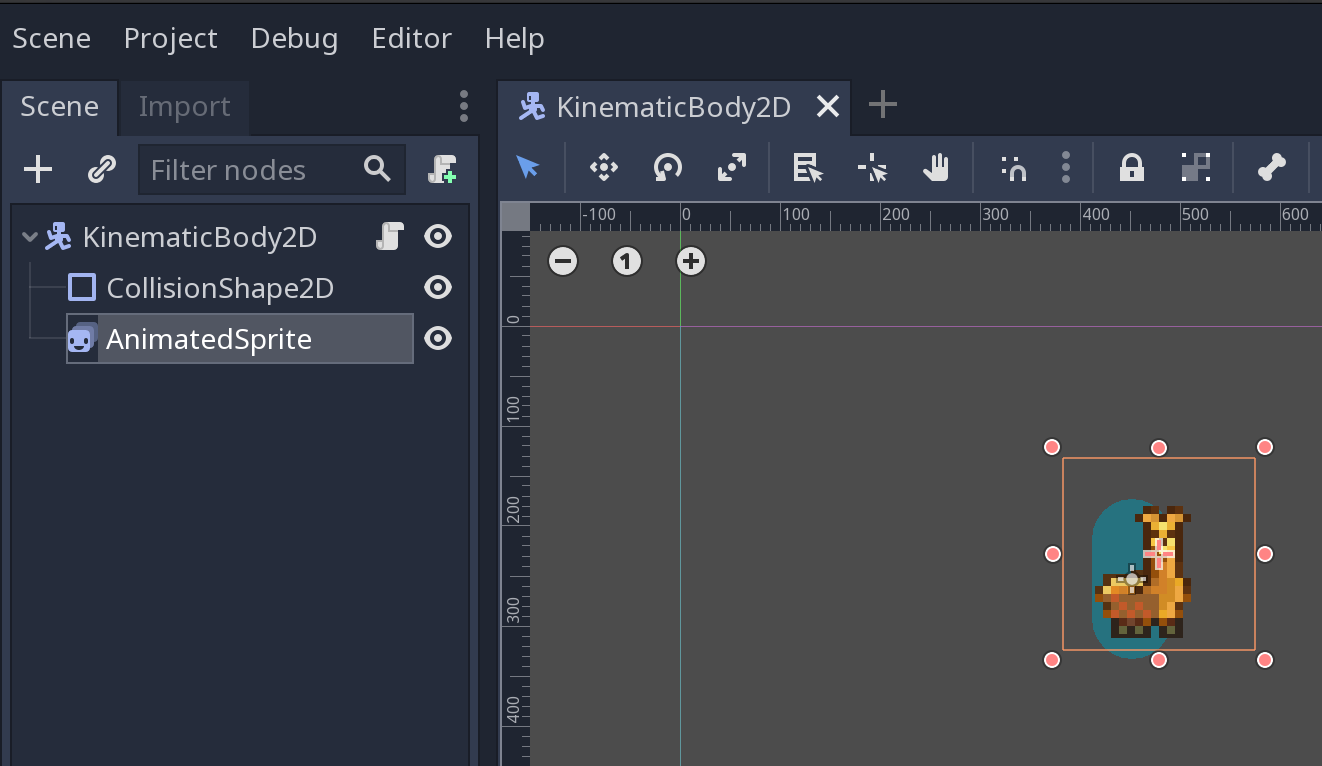
Các bước thực hiện:
- Tạo một Node gốc dạng
KinematicBody2D(hoặcCharacterBody2Dtrong Godot 4) và gắn scriptpersistent_state.gd. - Thêm một Node con
AnimatedSprite(hoặcAnimatedSprite2D), tạoSpriteFramesgồm ít nhất 2 hoạt ảnh: - idle: Hoạt ảnh đứng thở/chờ. - run: Hoạt ảnh chạy. - Thêm
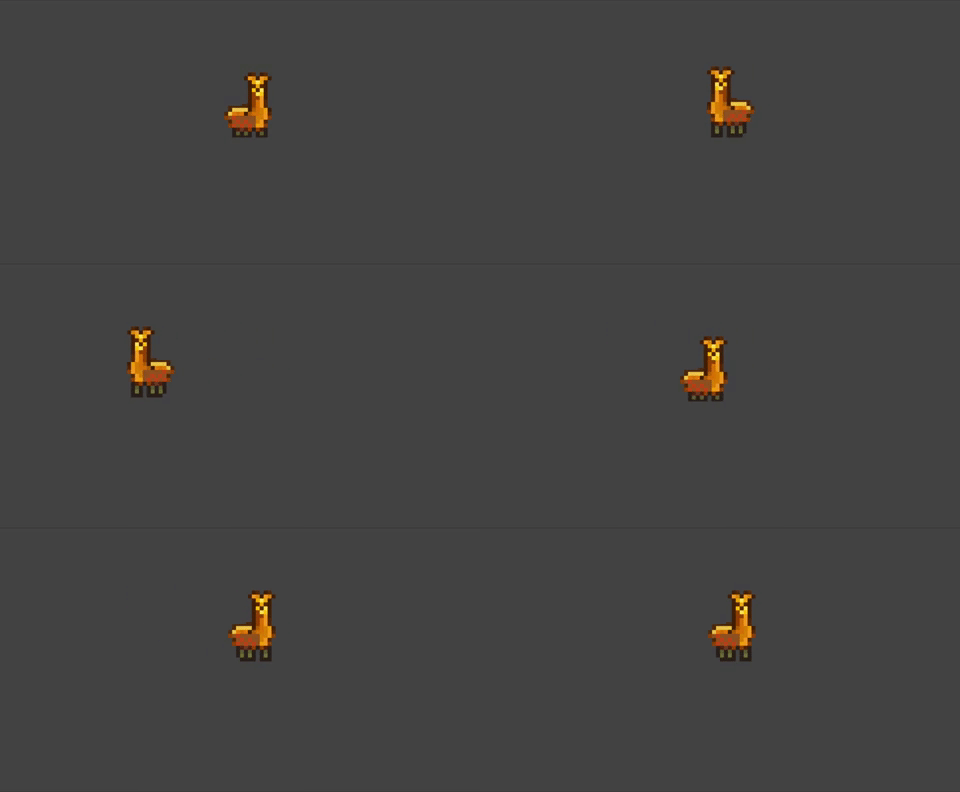
CollisionShape2Dvới hình dạng va chạm phù hợp (ví dụ:CapsuleShape2DhoặcRectangleShape2D). - Nhấn F5 (hoặc F6 để chạy riêng Scene này) và trải nghiệm kết quả:
🚀 Đánh giá & Hướng mở rộng
Điểm tuyệt vời của mẫu State Design Pattern:
- Dễ mở rộng: Khi muốn thêm trạng thái mới (ví dụ JumpState, AttackState), bạn chỉ cần tạo thêm một class mới kế thừa từ State và đăng ký nó vào StateFactory. Bạn hoàn toàn không cần phải sửa đổi code phức tạp của các trạng thái khác!
- Độc lập và an toàn: Mỗi trạng thái tự quản lý vòng đời và logic của riêng mình, giảm thiểu tối đa lỗi xung đột dữ liệu hay cờ boolean rắc rối.